

Copyright! Practical and easy tips.
Research has proven time and again that incorporating imagery is beneficial for learning. Because of that, and the ease with which we can access a vast array of creative work, presentations often show up on screen with pictures and graphics.
So, we agree? Presenting with visuals is good?
Good. End of blog.
Wait, what’s this now? You freely use whatever images you find online? They’re in the public domain and no one will ever know if you use them, you say, so what’s the big deal?
Lawyers, photographers, graphic designers, and other subject matter experts inform that you may be delving into the world of copyright infringement. And that’s kind of a big deal.
Let’s be honest. You cannot simply search Google for images and haphazardly copy them into your presentation slide deck. Well, technically, you can, but you shouldn’t. It’s illegal.
Whaaa…aaa…aat?! Copyright infringement is against the law?
Yes.
Open Google, and search for something. Pick a subject. Lighthouses, for example; it doesn’t matter. Google will show you a host of images (and videos and other categories of content) matching your search criteria. If you click on any one image, below each is a notation stating, ‘Images may be subject to copyright.’ Google puts this disclaimer on every single image, and perhaps because of the wording (image may be subject to copyright rather than is subject) or because it’s just so darn easy to download or copy an image from the internet, some choose to ignore the warning.
Google, like any other search engine, is not a lawyer – but they are cautioning about potential infringement because it’s wrong and there are consequences. Not only could you be subject to financial costs from statutory damages, legal fees and other potential bank-account-sucking-penalties, but we have this thing called integrity. Wouldn’t you agree that creators own their intellectual property, and unauthorized use is, in fact, theft? And wouldn't you agree, there is a moral element to this?
So, how do you respect copyright, save time, and incorporate compelling (and free) images into your presentations?
Because of the complexity of ‘Copyright’ and ‘Fair Use’ legislation across the globe, let’s keep it simple:
Use Creative Commons images and give attribution to the artist. Creative Commons is a non-profit organization that helps people legally share their creative work by providing free copyright licenses. ‘Creative Commons’ images are legally available for you to use, as long as you attribute the artist/creator in the manner they request (and get this, they might not even request any attribution). Attribution, if requested by the creator, could be as basic as placing their name next to their image on your slide. Find out more about ‘Creative Commons’ here.
Use an online image repository that doesn’t require attribution, such as Pexels or Pixabay or Unsplash. Although not required, these sites do suggest giving credit to the artist if their name is provided – perhaps sharing their name with a hyperlink to their work, their website, or social media profiles.
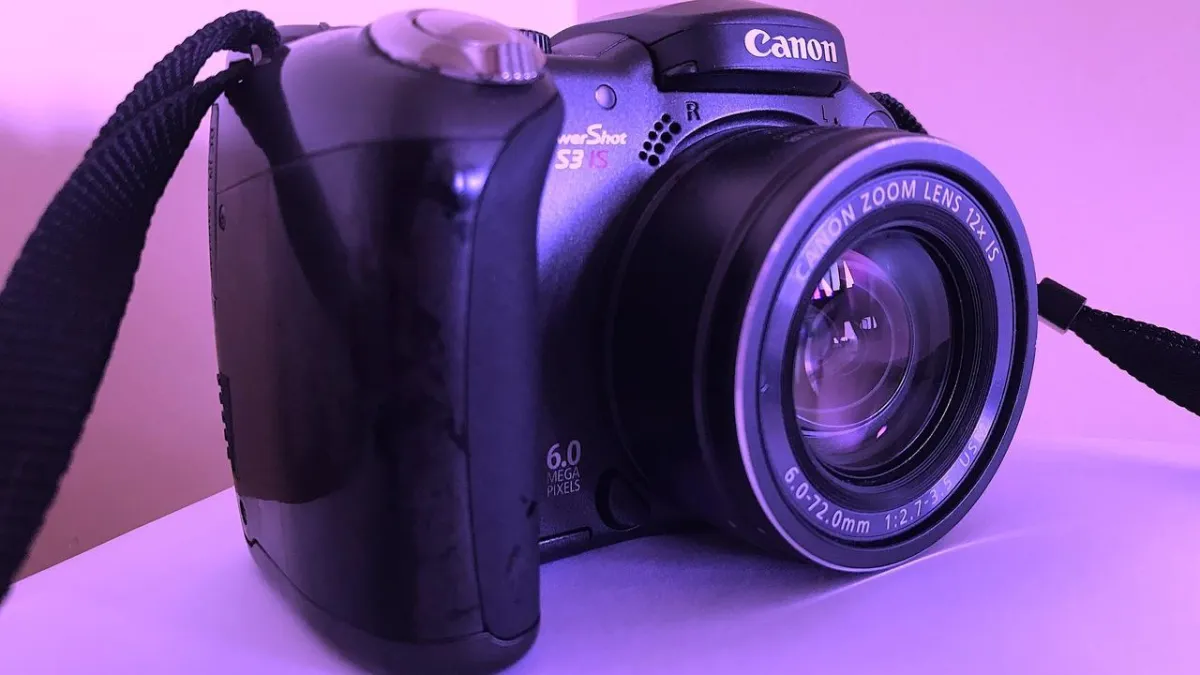
Take your own photos or create your own graphics. This is my personal preference - not only for presentations, but for website content, training and marketing collateral, social media, and so on. Sometimes I have a very specific image in mind, other times I will search for inspiration before I create. I often use my own photographs (my well-loved Canon PowerShot appears at the top of this page), or I create graphics using straightforward tools, such as Canva (as in this Twitter post) or WordArt in Microsoft Office (as in the What's Your First Question? blog page).
Simply put, if you need (free) images for your next presentation, be mindful of copyright. Stay above board. Give credit where credit is due. Or create your own.
- Tisha Parker Kemp